

DxO Black Friday 2025 Discount Codes & Deals
DxO Black Friday Deals for 2025. Includes discount codes for additional savings on DxO’s already lowest sale prices for Black Friday.
DxO Black Friday Deals for 2025 are now live from November 18th through to December 2nd, 2025. These are the lowest prices of the year and I’ve boiled the deals down to just the tools used by wildlife photographers.
Those image editing tools are: DxO PhotoLab9, Nik Collection 8, and DxO PureRAW5. I have also included tables for each of these programs to help you see what has changed across each version release to help you decide if upgrading from your current version the the latest and greatest makes sense.
Discount Code
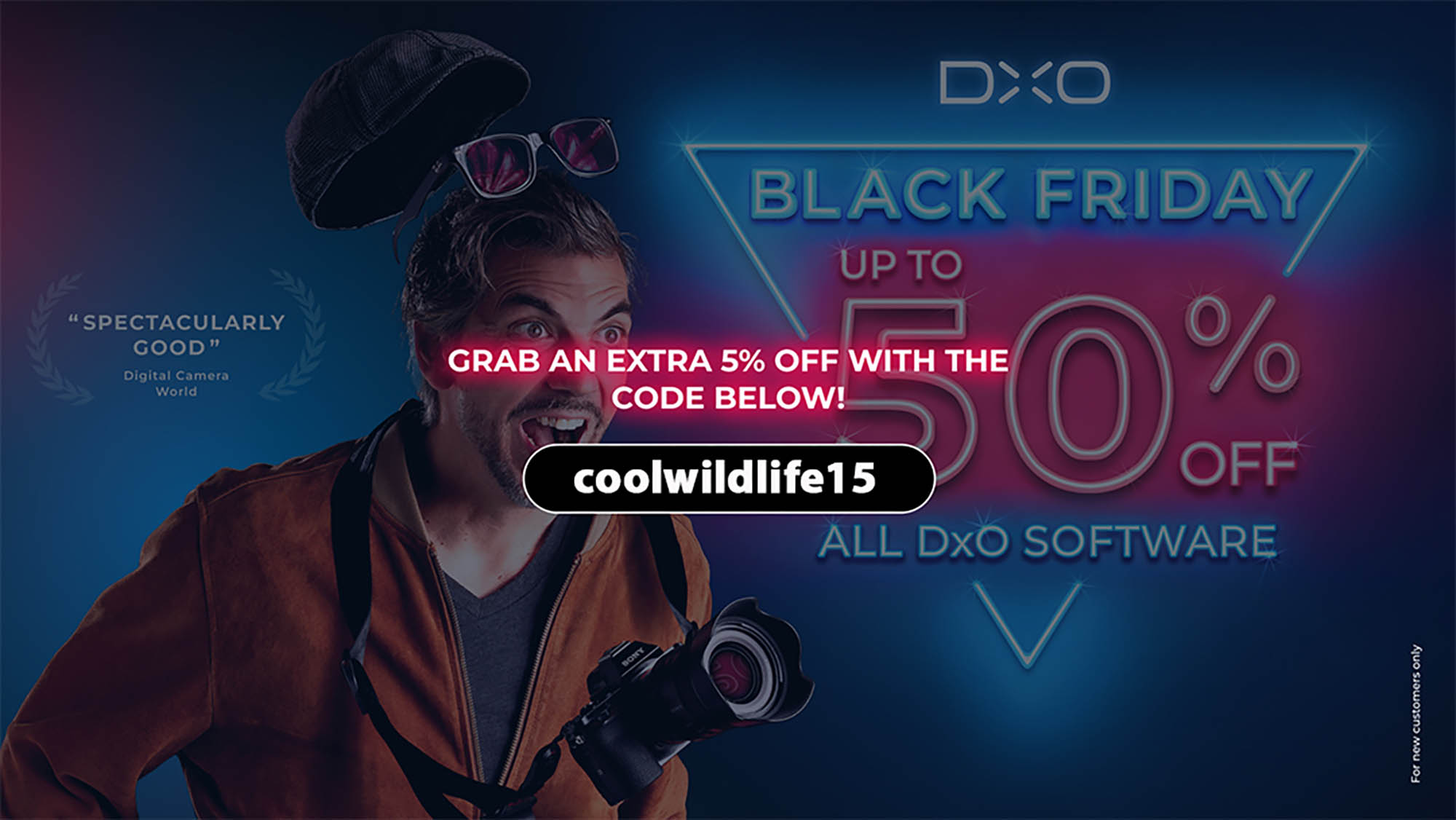
Just looking for a discount code? Click on the link or the banner below to be taken to the DxO Black Friday Sale Page and use discount code coolwildlife15 at checkout to receive an additional 5% off your purchase. Note: This additional 5% discount is only applicable to new users. To save you time looking, 5% is the best additional discount being offered by DxO for the 2025 Black Friday sale.

The links shown in this post are affiliate links and do provide this channel with a small commission when you make a purchase. There is no additional cost to you and I do appreciate your support.
Why Trust My Words?
I’ve been a user of DxO products since their inception and have evolved with them as they developed PhotoLab, Nik Collection and PureRAW. Their software has a place in my editing workflow and for that reason DxO products come highly recommended by me.
DxO Black Friday Deals 2025
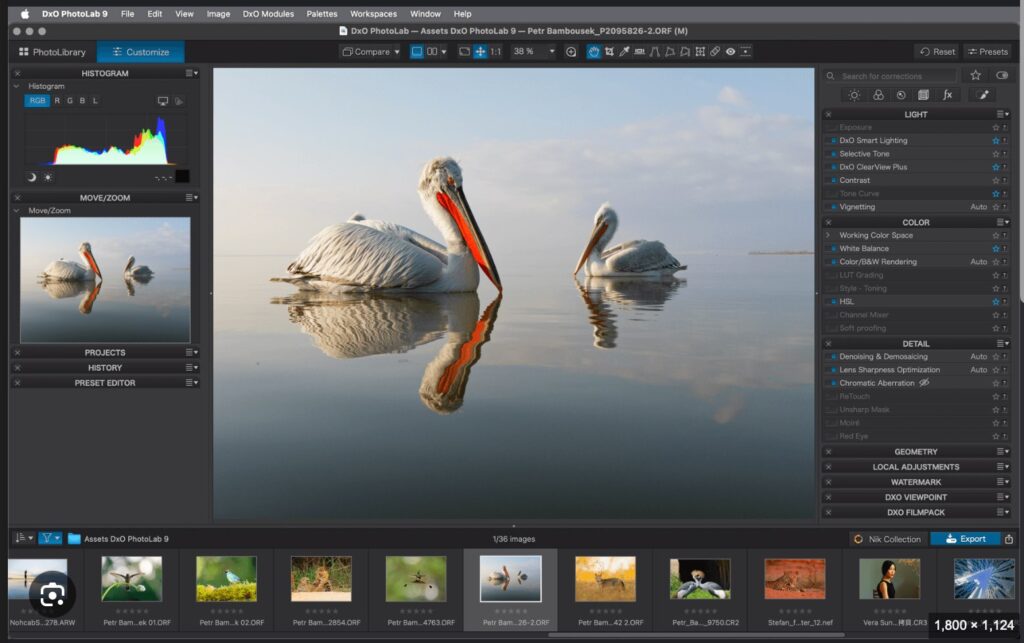
DxO PhotoLab 9 Black Friday Deals 2025
- Save $40 $239.99 Now $199.99
- New users save an additional 5% Now $189.99 (Requires Coupon Code – Click here to go to DxO PhotoLab 9 Black Friday Deals 2025 and enter discount code coolwildlife15)
- Upgrade from Older Versions of DxO PhotoLab: Save $20 Reg Price: $119.99 Now $99.99
My Experience With PhotoLab
I purchased DxO Photolab 6 Elite in 2022 during the DxO Black Friday sale. I did this for the purpose of having access to the new DXO Prime XD at the time for denoising. While attending a Nikon NPS event, professional wildlife photographer Brad Hill spoke to how he had switched from Topaz Denoise AI to DXO Prime XD for denoising. His head to head comparison showed that DXO Prime XD did a better job.
At the time DXO Prime XD was only available in DXO PhotoLab 6 Elite however it is now included in DxO PureRAW with the newer V5 of PureRAW using the DeepPRIME XD3 engine which is far superior to the original Prime XD. That’s a real bonus for those of you using a different software editor. Now you can get the best in class noise reduction software without having to purchase and learn an entirely new editing suite.
Significant improvements and feature rich additions have been developed every year and 2025 was no exception with the release of DxO PhotoLab 9 Elite. Things change quickly in this world of software at DxO.
If you’re wondering if it is worth upgrading your current version to PhotoLab to V9 below is a brief summary of the major feature changes as each version has evolved.
Worth Upgrading?
| Feature | v6 | v7 | v8 | v9 |
|---|---|---|---|---|
| Wide‑gamut working colour space / soft‑proofing | ✅ | ✅ | ✅ | ✅ |
| DeepPRIME noise reduction (base) | ✅ | ✅ | ✅ | ✅ |
| DeepPRIME XD | ✅ | ✅ | ✅ | ✅ |
| DeepPRIME XD2 | ❌ | ❌ | ✅ | ✅ |
| DeepPRIME XD3 (X‑Trans) | ❌ | ❌ | ❌ | ✅ |
| HSL / Colour Wheel in Local Adjustments (U-Point) | ❌ | ✅ | ✅ | ✅ |
| LUT support (apply/import LUTs) | ❌ | ✅ | ✅ | ✅ |
| Enhanced Tone Curve (Tone Picker / Luma) | ❌ | ❌ | ✅ | ✅ |
| Hue / Range Masking for Local Adjustments | ❌ | ❌ | ✅ | ✅ |
| Dedicated Black & White workflow / presets | ❌ | ✅ | ✅ | ✅ |
| Calibrated colour profile tools (DCP / colour-checker) | ❌ | ✅ | ✅ | ✅ |
| Large noise/detail preview magnifier | ❌ | ❌ | ✅ | ✅ |
| AI-powered object / semantic masking (AI Masks) | ❌ | ❌ | ❌ | ✅ |
| Batch renaming / advanced file-management | ❌ | ❌ | ❌ | ✅ |
| HEIC / HEIF / Apple ProRAW support | ❌ | ❌ | ❌ | ✅ |
| Image stacking / favourites | ❌ | ❌ | ❌ | ✅ |
DxO Photolab 9 Free Trial
If you have not tried it, I recommend downloading the DXO PhotoLab 9 Free Trial to take it for a test drive.
RECOMMENDATION
DXO Photolab 9 is an outstanding image editor and if you are using a previous version before v8 the upgrade is worth the money just to get the newest DeepPRIME XD3, it’s that good. DxO Photolab 8 users have a tougher decision to make if noise reduction is your primary focus because DeepPRIME XD2 which is included in DxO Photolab v8 already does a very good job.
I recommend you download the free trial of PhotoLab 9 to run a comparison between the DeepPrime XD2 in v8 and DeepPrime XD3 in V9 on your own style of images to see if the output is worth the upgrade.
If you use a different editing software such as Lightroom, Photoshop, etc. I would purchase DxO PureRAW5 as my noise reduction software as it already includes the DeepPRIME XD3 engine and it improves on the noise reduction included in the Adobe software.

DxO PureRAW 5 Black Friday Deals 2025
- Save $30! $129 Now $99.99
- New users save an additional 5% Now $94.99 (Requires Coupon Code – Click here to go to DxO PureRAW 5 Black Friday Deal 2025 and enter discount code coolwildlife15)
- Upgrade from a previous version: Save $15! $89.99 Now $74.99
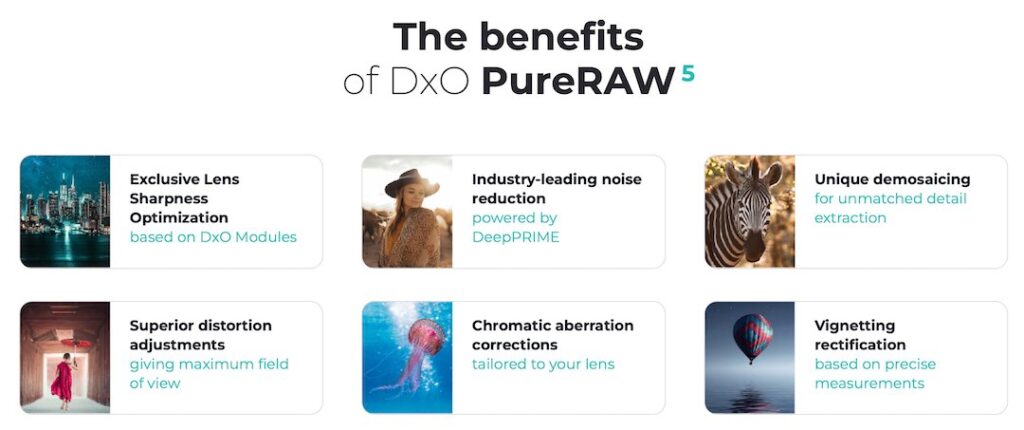
DeepPRIME XD3 noise reduction is included in DxO PureRAW 5 and as stated above I believe it is the best noise reduction software available.
DxO Pure Raw 5 is the first step in my wildlife photography editing workflow for good reason. It does a fantastic job of cleaning up the image exactly where it is needed to be so that I can quickly and easily add any final touch up edits and get the image posted to my Coolwildlife image gallery.
If you are unsure about DxO PureRAW 5 and how it would fit into your editing workflow I recommend you read my full review of DxO PureRAW 5 before making a decision.
If you are trying to Decide Between DxO PureRAW and Topaz PhotoAI you’ll want to read my review where I do a head to head comparison of the two programs and help you decide which editing software will best meet your specific requirements.
Worth Upgrading?
| Feature | v2 | v3 | v4 | v5 |
|---|---|---|---|---|
| RAW format support | ✅ | ✅ | ✅ | ✅ |
| Lens Corrections | ✅ | ✅ | ✅ | ✅ |
| Optical Corrections (Distortion, Vignetting, CA) | ✅ | ✅ | ✅ | ✅ |
| DeepPRIME XD | ❌ | ✅ | ✅ | ✅ |
| DeepPRIME XD2 | ❌ | ❌ | ✅ | ✅ |
| DeepPRIME XD3 | ❌ | ❌ | ❌ | ✅ |
| Batch Processing | ✅ | ✅ | ✅ | ✅ |
| Export to TIFF / JPEG | ✅ | ✅ | ✅ | ✅ |
DxO PureRAW5 Free Trial
PureRAW5 does an amazing job making the necessary adjustments to your image with one click. If you have not tried it, I recommend downloading the DxO PureRAW5 Free Trial to give it a go.


DxO Nik Collection 8 Black Friday Deals 2025
- Save $30! $169.99 Now $139.99
- New users save an additional 5% Now $132.99 (Requires Coupon Code – Click here to go to DxO Nik Collection 8 Black Friday Deal 2025 and enter discount code coolwildlife15)
- Upgrade from a previous version: Save $15! $99.99 Now $84.99
DxO’s Nik Collection has been around for a very long time and has been an integral part of my workflow since its beginnings in the mid-90’s. It allows you to get very creative with your images through a variety of presets. And if you’ve ever wanted to get creative with Black and White Nik’s Silver Efex should be your go to tool.
Below is a table highlighting the changes that have been made across the versions for Color Efex and Silver Efex which are the two programs that I use in my workflow.
Worth Upgrading?
| Feature | v5 | v6 | v7 | v8 |
|---|---|---|---|---|
| Filter stacking & dynamic layers | ✅ | ✅ | ✅ Dynamic filters added | ✅ Real-time previews & faster stacking |
| U‑Point local adjustments | ✅ | ✅ | ✅ Added polygonal & elliptical points | ✅ Improved precision & workflow |
| Hue / Saturation / Luminance (HSL) | ✅ Basic HSL | ✅ Expanded HSL & Vibrancy | ✅ Refinements for tonal precision | ✅ Full control with real-time feedback |
| Quick Export / workflow optimization | ❌ | ✅ | ✅ Improved interface | ✅ Streamlined & faster for large projects |
| Inter-plugin workflow (Viveza / Color Efex) | ❌ | ✅ | ✅ Access Viveza filters | ✅ Seamless integrated workflow |
| Speed / launch times | ✅ Incremental | ✅ Faster | ✅ ~30% faster | ✅ Optimized for modern systems |
| Feature | v5 | v6 | v7 | v8 |
|---|---|---|---|---|
| Classic B&W film simulations | ✅ | ✅ | ✅ | ✅ Expanded with new film types |
| Grain and texture control | ✅ | ✅ | ✅ Improved algorithm | ✅ Real-time preview & finer control |
| U‑Point local adjustments | ✅ | ✅ | ✅ Added polygonal & elliptical points | ✅ Enhanced precision & masking |
| Film Type Preview (real-time) | ❌ | ✅ | ✅ | ✅ Faster and improved rendering |
| Preview original color while editing B&W | ❌ | ✅ | ✅ Improved overlay control | ✅ Enhanced tonal accuracy |
| Batch processing support | ✅ | ✅ | ✅ | ✅ Streamlined for larger workloads |
DxO Nik Collection 8 Free Trial
Nik Collection 8 does an amazing job making the necessary adjustments to your image with one click. If you have not tried it, I recommend downloading the DxO Nik Collection 8 Free Trial to see how it fits into your editing workflow.
Happy Shopping All!!!